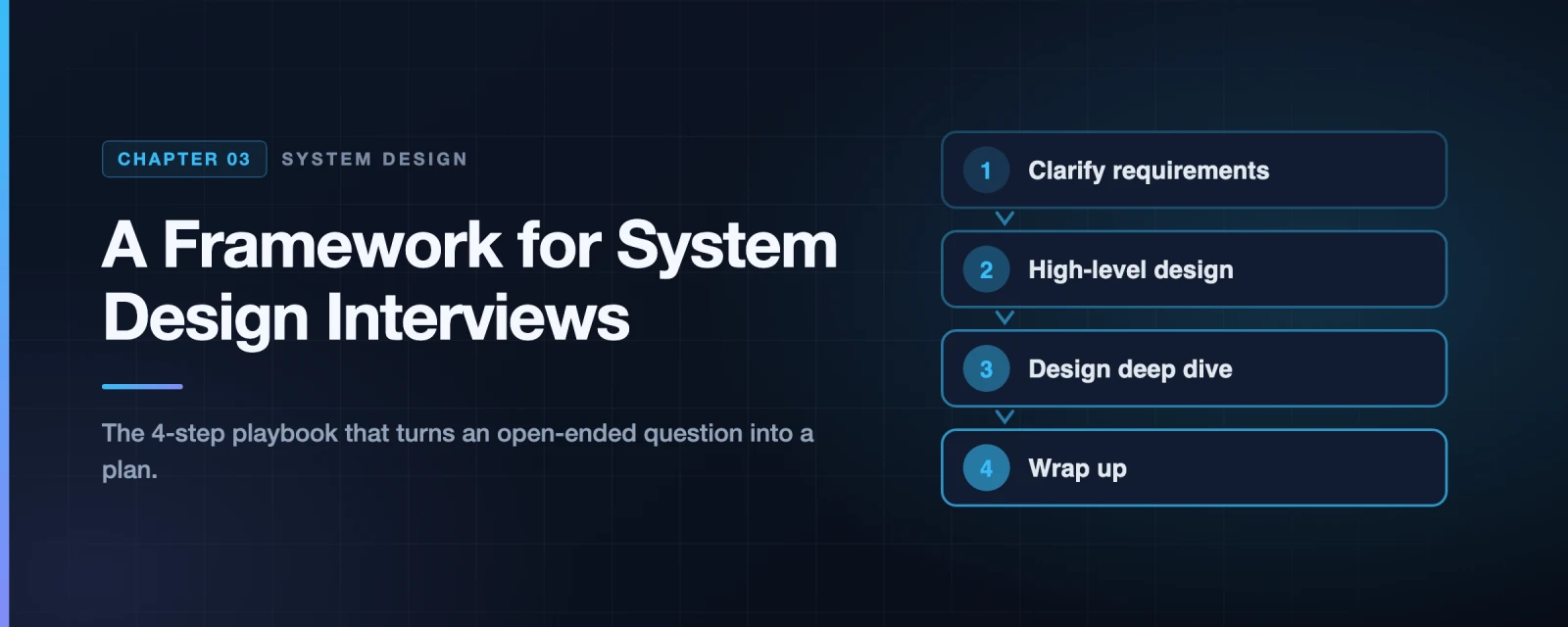
A Framework for System Design Interviews: The Complete Playbook
You just landed an on-site interview at your dream company. The schedule lands in your inbox. Most sessions look manageable — coding, behavioural, a hiring manager chat. Then you see it: System Design Interview.
Your stomach drops.
“Design Twitter.”
“Build a URL shortener.”
“How would you architect YouTube?”
These questions feel impossibly broad. How could anyone design a system that took hundreds of engineers years to build — in 45 minutes? Here’s the secret that most engineers miss:
Nobody expects you to design the real system. They expect you to demonstrate how you think.
The system design interview is a simulation of real engineering work. Two engineers sit down with an ambiguous problem and figure it out together. The final design is almost irrelevant. What the interviewer is measuring is your process — how you think, communicate, navigate trade-offs, and handle ambiguity under pressure.
This post gives you a complete, repeatable framework for any system design question. Follow it every single time and you will never freeze up again.
What Interviewers Are Actually Evaluating
Before learning the framework, understand the scoreboard. Interviewers aren’t grading you on whether your architecture matches the real Twitter. They’re evaluating four dimensions:
quadrantChart
    title What Interviewers Evaluate in System Design
    x-axis Low Technical Depth --> High Technical Depth
    y-axis Poor Communication --> Strong Communication
    quadrant-1 Ideal candidate
    quadrant-2 Great communicator, needs depth
    quadrant-3 Not ready yet
    quadrant-4 Smart but hard to work with
    Technical Knowledge: [0.85, 0.45]
    Communication: [0.30, 0.80]
    Trade-off Reasoning: [0.75, 0.75]
    Clarification Skills: [0.40, 0.65]
    Over-Engineering: [0.80, 0.20]
    Silent Coder: [0.65, 0.15]
The four things every interviewer is watching for:
- Technical breadth — Do you know the building blocks? (databases, caches, queues, CDNs, load balancers)
- Technical depth — Can you go deep when needed? (explain how consistent hashing works, when to shard)
- Communication — Are you thinking out loud? Treating the interviewer as a collaborator?
- Trade-off awareness — Can you compare approaches and justify choices? (SQL vs NoSQL, push vs pull)
A huge red flag interviewers watch for is over-engineering — jumping to the most complex solution without understanding requirements. Many engineers are so proud of their knowledge that they design a distributed, multi-region, micro-service system for a problem that could be solved with a single PostgreSQL database. Companies pay real money for over-engineered systems. Don’t demonstrate that tendency.
The 4-Step Framework — Overview
Every system design interview can be navigated with exactly four steps. The time allocation for a 45-minute session:
gantt
    title 45-Minute System Design Interview Timeline
    dateFormat mm
    axisFormat %M min

    section Step 1
    Understand & Scope (3–10 min) :active, s1, 00, 10m

    section Step 2
    High-Level Design (10–15 min) :active, s2, 10, 15m

    section Step 3
    Design Deep Dive (10–25 min) :active, s3, 25, 15m

    section Step 4
    Wrap Up (3–5 min) :active, s4, 40, 5m
flowchart TD
    START(["Question given\n'Design Twitter'"])

    S1["STEP 1\nUnderstand the Problem\n& Establish Design Scope\n\n3–10 minutes\nAsk questions\nWrite assumptions\nDefine scope"]

    S2["STEP 2\nPropose High-Level Design\n& Get Buy-In\n\n10–15 minutes\nDraw boxes & arrows\nSketch APIs\nBack-of-envelope math"]

    S3["STEP 3\nDesign Deep Dive\n\n10–25 minutes\nZoom into critical components\nDiscuss trade-offs\nHandle bottlenecks"]

    S4["STEP 4\nWrap Up\n\n3–5 minutes\nSummarise design\nMention bottlenecks\nPropose improvements"]

    HIRED(["✓ Strong signal\nshown to interviewer"])

    START --> S1 --> S2 --> S3 --> S4 --> HIRED

    style START fill:#6366F1,color:#fff
    style S1 fill:#3B82F6,color:#fff
    style S2 fill:#10B981,color:#fff
    style S3 fill:#F59E0B,color:#fff
    style S4 fill:#8B5CF6,color:#fff
    style HIRED fill:#059669,color:#fff
Let’s go deep on each step.
Step 1: Understand the Problem and Establish Design Scope
Time: 3–10 minutes
The “Jimmy” trap
Imagine a student named Jimmy. Whenever the teacher asks a question, Jimmy shoots his hand up immediately and blurts out an answer — right or wrong, he loves being first.
Don’t be Jimmy.
In a system design interview, jumping straight to a solution without understanding the requirements is the single biggest mistake. You’ll end up designing the wrong system with great confidence, which is far worse than asking a few questions first.
When an interviewer says “Design Instagram,” they could mean:
- A simple photo-sharing app for 1,000 users
- A globally distributed platform with 2 billion users, Reels, Stories, Shopping, DMs, and a recommendation engine
These require completely different architectures. You must clarify before you draw a single box.
What to ask in Step 1
Use this mental checklist every time:
mindmap
  root((Requirements\nGathering))
    Functional Requirements
      What features are in scope?
      What features are out of scope?
      Who are the users?
      What are the core user actions?
    Scale
      How many daily active users?
      Expected growth in 6 months? 1 year?
      Read-heavy or write-heavy?
      Any traffic spikes?
    Non-Functional Requirements
      Latency targets
      Availability SLA
      Consistency vs availability trade-off
      Data durability requirements
    Constraints
      Existing tech stack?
      Build vs buy decision?
      Budget / cost sensitivity?
      Regulatory requirements?
Functional requirements — What the system must do.
- What specific features are we building?
- What are the most important ones? (Don’t design everything)
- What is explicitly out of scope?
Non-functional requirements — How well the system must do it.
- Latency: Does this need to be real-time (< 100ms) or is eventual consistency OK?
- Availability: 99.9% or 99.999%? (That’s the difference between 8 hours and 5 minutes downtime per year)
- Consistency: Can users see slightly stale data? (Twitter feed vs. bank balance — very different)
Scale — drives every architecture decision.
- How many users? (1K vs 10M vs 1B is not the same system)
- What’s the read/write ratio? (Facebook News Feed: ~1000:1 reads to writes)
The news feed example — how a good Step 1 sounds
Here is what a strong candidate conversation looks like:
sequenceDiagram
actor C as Candidate
actor I as Interviewer
C->>I: Is this a mobile app, web app, or both?
I->>C: Both
C->>I: What are the most important features?
I->>C: Make a post and see friends' news feed
C->>I: Is the feed sorted chronologically or by ranking algorithm?
I->>C: Chronological order to keep things simple
C->>I: How many friends can a user have?
I->>C: Up to 5,000 friends
C->>I: What's the traffic volume?
I->>C: 10 million daily active users
C->>I: Can posts contain images and videos?
I->>C: Yes, media files including images and videos
C->>I: Do we need to handle stories, reels, ads?
I->>C: Out of scope for this interview
Note over C,I: Candidate writes assumptions on whiteboard
C->>I: Let me recap. We're building a feed system for 10M DAU, supporting posts with media, showing a chronological feed. Stories and ads are out of scope. Does that sound right?
I->>C: Yes, exactly right. Let's proceed.
Notice what the candidate did:
- Asked specific, targeted questions — not vague ones
- Covered functional AND non-functional AND scale
- Recapped the scope at the end to confirm alignment
- Was collaborative, not combative
Key insight: The interviewer wants you to ask questions. When you ask the right questions, they light up — because it shows you think like a senior engineer who understands that requirements drive architecture.
Writing down your assumptions
After your questions, write your assumptions clearly on the whiteboard before drawing anything. This is not busywork — it is a professional habit. In real engineering, design documents always start with assumptions. If an assumption is wrong, you want to know before you’ve designed 30 minutes of architecture around it.
Example assumptions to write:
Assumptions
───────────
- 10M DAU
- Read:Write ratio = 100:1 (feed reads dominate)
- Posts can contain text (max 500 chars) and media (max 5MB)
- Feed shows last 20 posts from friends, chronological order
- Friend relationship is bidirectional (not follow/follower)
- No strong consistency required — eventual is fine
- 99.9% availability target
Step 2: Propose a High-Level Design and Get Buy-In
Time: 10–15 minutes
You’ve established scope. Now it’s time to sketch the architecture. The goal here is not perfection — it’s direction. You’re proposing a rough blueprint and getting the interviewer’s buy-in before you invest time in details.
Three things to do in Step 2
flowchart LR
    A["Draw the boxes\nIdentify major components:\nClients, APIs, Services,\nDatabases, Caches, CDN,\nMessage Queues"]

    B["Connect the arrows\nShow data flow.\nWhere do reads go?\nWhere do writes go?\nWhat calls what?"]

    C["Sanity check with math\nBack-of-envelope estimates.\nDoes 1 DB handle\nour write QPS?\nDo we need sharding?"]

    A --> B --> C

    style A fill:#3B82F6,color:#fff
    style B fill:#10B981,color:#fff
    style C fill:#F59E0B,color:#fff
The standard building blocks
Every system design is composed of some combination of these:
flowchart TD
    subgraph Client["Client Layer"]
        WEB["Web Browser"]
        MOB["Mobile App"]
    end

    subgraph Edge["Edge Layer"]
        DNS["DNS"]
        CDN["CDN\n(static assets)"]
        LB["Load Balancer\n(traffic distribution)"]
    end

    subgraph API["API Layer"]
        GW["API Gateway\n(auth, rate limiting, routing)"]
        SVC1["Service A"]
        SVC2["Service B"]
        SVC3["Service C"]
    end

    subgraph Data["Data Layer"]
        SQL["Relational DB\n(MySQL / PostgreSQL)"]
        NOSQL["NoSQL DB\n(Cassandra / DynamoDB)"]
        CACHE["Cache\n(Redis / Memcached)"]
        BLOB["Object Storage\n(S3 / GCS)"]
        SEARCH["Search Index\n(Elasticsearch)"]
        MQ["Message Queue\n(Kafka / SQS)"]
    end

    Client --> Edge --> API --> Data

    style Client fill:#6366F1,stroke:#4338CA,color:#fff
    style Edge fill:#3B82F6,stroke:#1D4ED8,color:#fff
    style API fill:#10B981,stroke:#047857,color:#fff
    style Data fill:#F59E0B,stroke:#B45309,color:#fff
Not every system needs all of these. Part of good design is knowing which to include and why. A junior engineer adds everything. A senior engineer adds only what’s justified.
High-level design: News Feed System — Feed Publishing
Let’s continue our news feed example. Feed publishing = when a user creates a post:
flowchart TD
    U["User posts\n'Hello World + photo'"]
    LB["Load Balancer"]
    WS["Web Servers\nAuthentication\nRate Limiting"]
    PS["Post Service\nValidates & stores post"]
    FS["Fanout Service\nPushes post to followers' feeds"]
    NS["Notification Service\nSends push notifications"]
    PC["Post Cache\n(Redis)"]
    PDB["Post DB\n(MySQL)"]
    MQ["Message Queue\n(Kafka)"]
    FW["Fanout Workers\n(async)"]
    NFC["News Feed Cache\n(Redis — per user)"]
    GDB["Graph DB\n(Neo4j — friend graph)"]

    U --> LB --> WS
    WS --> PS
    WS --> FS
    WS --> NS
    PS --> PC --> PDB
    FS -->|"1. get friend IDs"| GDB
    FS -->|"3. publish job"| MQ
    MQ -->|"4. consume"| FW
    FW -->|"5. update each\nfriend's feed cache"| NFC

    style U fill:#6366F1,stroke:#4338CA,color:#fff
    style LB fill:#0E7490,color:#fff
    style WS fill:#3B82F6,color:#fff
    style PS fill:#10B981,color:#fff
    style FS fill:#8B5CF6,color:#fff
    style NS fill:#F59E0B,color:#fff
    style MQ fill:#EF4444,color:#fff
    style NFC fill:#EC4899,color:#fff
    style GDB fill:#14B8A6,color:#fff
High-level design: News Feed System — Feed Reading
When a user opens their app and loads their feed:
sequenceDiagram
    actor U as User
    participant LB as Load Balancer
    participant WS as Web Server
    participant NFS as News Feed Service
    participant NFC as Feed Cache (Redis)
    participant UC as User Cache
    participant PC as Post Cache
    participant DB as Database

    U->>LB: GET /v1/me/feed
    LB->>WS: route request
    WS->>NFS: fetch feed for user_id=123
    NFS->>NFC: get cached post_ids for user 123

    alt Cache HIT
        NFC-->>NFS: [post_id_1, post_id_2, ... post_id_20]
    else Cache MISS
        NFS->>DB: query friend posts (slow path)
        DB-->>NFS: post_ids
        NFS->>NFC: cache post_ids
    end

    NFS->>PC: hydrate post details (batch fetch)
    PC-->>NFS: post content, media URLs

    NFS->>UC: hydrate author details (batch fetch)
    UC-->>NFS: author names, avatars

    NFS-->>WS: assembled feed (20 posts)
    WS-->>LB: HTTP 200 + JSON
    LB-->>U: render feed
This sequence diagram shows something important: the feed is pre-computed and cached (the Fanout Service populates it when posts are created). Reading the feed is just a cache lookup — it doesn’t need to touch the database at all on the hot path. This is why Facebook, Instagram, and Twitter all use this pattern.
When to include back-of-envelope estimates
After sketching the high-level design, do a quick sanity check:
For our news feed:
DAU = 10M
Feed reads per user per day = 5 (open app 5 times)
Total reads/day = 50M → ~580 read QPS average → ~1,200 peak

Write QPS = 10M × 2 posts/day / 86,400 = ~230 QPS

One MySQL master can handle 1,000 write QPS → single DB is fine for writes
One Redis node can handle 100,000 read QPS → cache easily handles reads

Conclusion: we need DB sharding later at 100M+ users, not now.
This is powerful because it shows you don’t over-engineer. You say “right now we don’t need sharding — here’s the math proving it.”
Step 3: Design Deep Dive
Time: 10–25 minutes
By the end of Step 2, you and the interviewer have agreed on the big picture. Now you zoom into the most interesting or challenging parts. This is where senior candidates shine.
At the start of Step 3, you should have:
- ✅ Agreed on overall goals and feature scope
- ✅ A high-level blueprint on the whiteboard
- ✅ Feedback from the interviewer on the high-level design
- ✅ Initial ideas about what areas to focus on
How to choose what to deep-dive into
flowchart TD
    Q{"What did the\ninterviewer\nhint at?"}

    Q -->|"'Interesting, how would\nyou handle X?'"| A["Dive into X\nThey want to see depth here"]
    Q -->|"'What about scale?'"| B["Focus on bottlenecks\nSharding, caching, CDN"]
    Q -->|"'Walk me through\nthe data model'"| C["Database schema\nIndexes, query patterns"]
    Q -->|"No hints given"| D["You choose\nPick the hardest part\nor most novel part"]

    style Q fill:#6366F1,color:#fff
    style A fill:#3B82F6,color:#fff
    style B fill:#EF4444,color:#fff
    style C fill:#10B981,color:#fff
    style D fill:#F59E0B,color:#fff
Common deep-dive areas by system type:
| System | Interesting Deep Dives |
|---|---|
| Chat (WhatsApp) | WebSocket connection management, message delivery guarantees, online/offline status |
| URL Shortener | Hash function design, collision handling, redirect caching |
| News Feed | Fanout-on-write vs fanout-on-read, handling celebrity users |
| Search Autocomplete | Trie data structure, caching prefix results, ranking |
| Rate Limiter | Token bucket vs sliding window, distributed counters in Redis |
| Video Platform | Chunked upload, video transcoding pipeline, adaptive bitrate streaming |
Deep dive example: Fanout-on-write vs Fanout-on-read
This is a classic deep-dive topic for any social feed system. Let’s explore both approaches:
flowchart LR
    subgraph FOW["Fanout-on-WRITE\n(Push model)"]
        direction TB
        W1["User posts"]
        W2["Immediately push\nto all N followers'feed caches"]
        W3["Read = just\nfetch your cache"]
        W1 --> W2 --> W3
    end

    subgraph FOR["Fanout-on-READ\n(Pull model)"]
        direction TB
        R1["User posts"]
        R2["Store in your\nown timeline only"]
        R3["Read = query\nall friends' timelines\nand merge"]
        R1 --> R2 --> R3
    end

    subgraph HYBRID["Hybrid\n(Best of both)"]
        direction TB
        H1["Normal users:\nfanout-on-write"]
        H2["Celebrity users\n(10M+ followers):\nfanout-on-read"]
        H3["Merge at read time\nfor celebrities only"]
        H1 --> H3
        H2 --> H3
    end

    style FOW fill:#3B82F6,stroke:#1D4ED8,color:#fff
    style FOR fill:#EF4444,stroke:#B91C1C,color:#fff
    style HYBRID fill:#10B981,stroke:#047857,color:#fff
| Fanout-on-Write | Fanout-on-Read | Hybrid | |
|---|---|---|---|
| Read speed | ⚡ Instant (cache hit) | 🐌 Slow (merge N timelines) | ⚡ Fast |
| Write speed | 🐌 Slow (N writes) | ⚡ Fast (1 write) | Moderate |
| Celebrity problem | ❌ 10M cache writes per post | ✅ No issue | ✅ Solved |
| Stale data | Fresh | Fresh | Fresh |
| Used by | Facebook, Instagram (most users) | Old Twitter pull | Twitter, Instagram (celebrities) |
The right answer in an interview: “For most users we use fanout-on-write because reads are 100× more frequent than writes. For users with over 1 million followers, we switch to fanout-on-read to avoid the write amplification problem. We merge the two at read time.”
This answer shows you understand trade-offs, know real production patterns, and can reason about edge cases (the celebrity problem).
Deep dive: Data model
A good data model discussion shows database design maturity:
erDiagram
    USER {
        bigint user_id PK
        varchar username
        varchar profile_image_url
        timestamp created_at
    }

    POST {
        bigint post_id PK
        bigint user_id FK
        text content
        varchar media_url
        timestamp created_at
    }

    FRIENDSHIP {
        bigint user_id FK
        bigint friend_id FK
        timestamp created_at
    }

    NEWSFEED {
        bigint user_id FK
        bigint post_id FK
        timestamp created_at
    }

    USER ||--o{ POST : "creates"
    USER ||--o{ FRIENDSHIP : "has"
    USER ||--o{ NEWSFEED : "sees"
    POST ||--o{ NEWSFEED : "appears in"
Key design decisions to discuss:
post_iduses Snowflake ID (Twitter’s algorithm) — a time-sortable 64-bit integer that works across distributed systems without coordinationNEWSFEEDtable is actually a Redis sorted set in production (score = timestamp), not a SQL tableFRIENDSHIPtable needs indexes on bothuser_idandfriend_idfor bidirectional lookup
Step 4: Wrap Up
Time: 3–5 minutes
Don’t just stop and say “I’m done.” The wrap-up is an opportunity to leave a strong final impression.
flowchart LR
    W1["Recap the design\n\nQuickly walk through\nwhat you built.\nHelps interviewer remember\nyour key decisions."]

    W2["Identify bottlenecks\n\nNever say the design\nis perfect.\nAlways mention what\nyou'd improve next."]

    W3["Mention failure modes\n\nWhat happens if the\nDB goes down?\nIf the cache is cold?\nIf a datacenter fails?"]

    W4["Discuss scale curve\n\nIf we go from\n1M → 10M → 100M users,\nwhat changes?"]

    W1 --> W2 --> W3 --> W4

    style W1 fill:#3B82F6,color:#fff
    style W2 fill:#F59E0B,color:#fff
    style W3 fill:#EF4444,color:#fff
    style W4 fill:#10B981,color:#fff
Strong wrap-up phrases
Instead of “I’m done,” try:
- “Let me do a quick recap of what we’ve designed…”
- “The main bottlenecks I see are… I’d address them by…”
- “If we needed to scale from 10M to 100M DAU, the first thing I’d change is…”
- “One thing I didn’t cover that could be interesting is…”
Example wrap-up for the news feed
“To summarise — we’ve built a news feed system for 10M DAU. Users can post text and media, and see a chronological feed of their friends’ posts. We use a load balancer to distribute traffic across stateless web servers, a Fanout Service that asynchronously pre-computes feeds using Kafka workers, Redis for both feed caches and post caches, and MySQL for persistent storage.
The biggest bottleneck I see is the Fanout Service at scale — if a user has 5,000 friends and posts frequently, we generate 5,000 cache writes per post. For users with very large friend counts, I’d switch to a hybrid fanout-on-read approach.
For failure modes: if Redis goes down, we fall back to the database (slower, but correct). If the Fanout workers fall behind, users see stale feeds temporarily, which is acceptable given our eventual consistency requirement.
If traffic grew to 100M DAU, I’d add database sharding by user_id, introduce a CDN for media delivery, and add more Redis nodes with consistent hashing.”
That’s a 90-second wrap-up that demonstrates critical thinking, awareness of failure modes, and understanding of scale — all things that leave a lasting positive impression.
The Complete 45-Minute Picture
Here’s the full flow from start to finish, including how the two sides of the conversation should feel:
sequenceDiagram
actor C as Candidate
actor I as Interviewer
Note over C,I: ⏱ 0:00 — Question given
I->>C: "Design a news feed system like Facebook"
Note over C,I: ⏱ 0:00–0:10 — Step 1: Clarify
C->>I: Ask 5–7 targeted questions
I->>C: Answer each one
C->>I: "Let me write down my assumptions..."
C->>I: "Recap: 10M DAU, chronological feed, media posts. Correct?"
I->>C: "Yes, let's proceed"
Note over C,I: ⏱ 0:10–0:25 — Step 2: High-Level Design
C->>I: "I'll start with the high-level components..."
C->>I: Draws boxes on whiteboard
C->>I: "For feed publishing, I'm thinking a Fanout Service..."
I->>C: "Interesting, tell me more about the fanout"
C->>I: Quick back-of-envelope: "230 write QPS — single DB is fine"
I->>C: "Good. What about the read path?"
Note over C,I: ⏱ 0:25–0:40 — Step 3: Deep Dive
C->>I: "Let me deep dive into the fanout trade-offs..."
C->>I: Explains push vs pull vs hybrid
I->>C: "How do you handle the celebrity problem?"
C->>I: "Great question — for users with 1M+ followers we..."
I->>C: "What does your data model look like?"
C->>I: Draws schema, discusses indexes and ID generation
Note over C,I: ⏱ 0:40–0:45 — Step 4: Wrap Up
C->>I: "Let me quickly recap what we've built..."
C->>I: "Main bottleneck is fanout at scale, here's how I'd handle it..."
C->>I: "If we scaled to 100M DAU, first change would be..."
I->>C: "Great, thank you — any questions for me?"
Dos and Don’ts: The Complete List
These are the exact behaviours that separate candidates who get offers from those who don’t.
✅ Always Do These
flowchart TD
    subgraph DOS["✓ DOs"]
        D1["Always ask for clarification\nDon't assume your assumption is correct"]
        D2["Understand requirements\nbefore touching the design"]
        D3["Think out loud\nLet the interviewer follow your reasoning"]
        D4["Suggest multiple approaches\nShow you know trade-offs"]
        D5["Design critical components first\nDon't spend time on trivial details early"]
        D6["Treat interviewer as teammate\nBounce ideas, ask for input"]
        D7["Never give up\nIf stuck, say what you know and reason from there"]
        D8["Confirm your understanding\nRecap scope before designing"]
    end

    style DOS fill:#10B981,stroke:#047857,color:#fff
❌ Never Do These
flowchart TD
    subgraph DONTS["✗ DON'Ts"]
        X1["Jump into solution immediately\nwithout clarifying requirements"]
        X2["Think in silence\nInterviewers can't evaluate what they can't hear"]
        X3["Go too deep on one component early\nCover the system breadth first"]
        X4["Ignore feedback\nIf interviewer redirects you, follow them"]
        X5["Say the design is perfect\nThere's always a bottleneck — show you know it"]
        X6["Be unprepared for basic questions\nKnow your building blocks cold"]
        X7["Stop when you finish\nWrap up proactively — show initiative"]
        X8["Over-engineer\nDon't add microservices for a 1,000-user app"]
    end

    style DONTS fill:#EF4444,stroke:#B91C1C,color:#fff
Red Flags That Kill Good Candidates
Even technically strong candidates fail interviews for non-technical reasons. Watch for these:
🚩 Narrow-mindedness — “We should use Kafka. Period.” vs “We could use Kafka or RabbitMQ or SQS — here’s when I’d choose each…”
🚩 Stubbornness — The interviewer hints you’re going down the wrong path. You defend your choice instead of exploring theirs. This signals you’d be difficult to work with.
🚩 Silence — You’re thinking hard but not talking. The interviewer is sitting there with no signal. They can’t give partial credit for thoughts you never expressed.
🚩 Premature optimization — You spend 15 minutes designing a globally distributed caching layer for a system that hasn’t been asked to scale yet.
🚩 No questions asked — If you started designing immediately without a single clarifying question, it signals you don’t think about requirements in real work either.
Interview Preparation Checklist
Before your interview, make sure you can do all of these from memory:
flowchart TD
    subgraph KNOW["Know These Building Blocks"]
        K1["Load balancer — algorithms, health checks"]
        K2["SQL vs NoSQL — when to use each"]
        K3["Database replication — master/slave, failover"]
        K4["Database sharding — consistent hashing"]
        K5["Cache — LRU, write-through, write-back, CDN"]
        K6["Message queue — Kafka, SQS, when to use"]
        K7["Rate limiting — token bucket, sliding window"]
        K8["CAP theorem — consistency vs availability"]
    end

    subgraph PRACTICE["Practice These Skills"]
        P1["Back-of-envelope estimation — QPS, storage, bandwidth"]
        P2["Drawing clear architecture diagrams"]
        P3["Thinking out loud while designing"]
        P4["Identifying and discussing trade-offs"]
        P5["Data modelling — schemas, indexes, ID generation"]
    end

    subgraph COMMON["Common Interview Questions"]
        C1["Design Twitter / News Feed"]
        C2["Design a URL Shortener"]
        C3["Design WhatsApp / Chat System"]
        C4["Design YouTube / Video Platform"]
        C5["Design a Rate Limiter"]
        C6["Design a Web Crawler"]
        C7["Design a Search Autocomplete"]
        C8["Design a Notification System"]
    end

    style KNOW fill:#3B82F6,stroke:#1D4ED8,color:#fff
    style PRACTICE fill:#10B981,stroke:#047857,color:#fff
    style COMMON fill:#F59E0B,stroke:#B45309,color:#fff
The One-Page Cheat Sheet
Print this. Internalize it. Use it in every mock interview until it’s automatic:
flowchart LR
    subgraph STEP1["Step 1 · 3–10 min"]
        A1["Ask: features, scale,\nnon-functional requirements"]
        A2["Write assumptions\non whiteboard"]
        A3["Recap + confirm\nwith interviewer"]
        A1 --> A2 --> A3
    end

    subgraph STEP2["Step 2 · 10–15 min"]
        B1["Draw major\ncomponents"]
        B2["Show data flow\n(reads and writes)"]
        B3["Sanity check\nwith math"]
        B1 --> B2 --> B3
    end

    subgraph STEP3["Step 3 · 10–25 min"]
        C1["Zoom into\ncritical components"]
        C2["Discuss trade-offs\nfor every choice"]
        C3["Handle edge cases\nand failures"]
        C1 --> C2 --> C3
    end

    subgraph STEP4["Step 4 · 3–5 min"]
        D1["Recap design"]
        D2["Name bottlenecks"]
        D3["Scale next steps"]
        D1 --> D2 --> D3
    end

    STEP1 --> STEP2 --> STEP3 --> STEP4

    style STEP1 fill:#6366F1,stroke:#4338CA,color:#fff
    style STEP2 fill:#3B82F6,stroke:#1D4ED8,color:#fff
    style STEP3 fill:#F59E0B,stroke:#B45309,color:#fff
    style STEP4 fill:#10B981,stroke:#047857,color:#fff
References and Further Reading
The source chapter carries no reference list, so these are the ones worth having.
Interview practice
- System Design Primer — the canonical open-source study guide, with worked solutions
- Grokking the System Design Interview — the other widely used problem set
- Google SRE Book — free online. Chapters on service reliability sharpen the non-functional requirements you should be eliciting in step 1
Thinking about scope and trade-offs
- Implementing SLOs — SLI/SLO/SLA precisely. Naming an availability target in step 1 lands well
- Latency Numbers Every Programmer Should Know — the numbers you need for the estimation step
- CAP Theorem — the trade-off you are expected to name out loud in step 2
Engineering blogs to read for the deep-dive step
- Netflix Technology Blog, Uber Engineering, Discord Engineering — real architectures, and the source of most interview questions
Books worth owning
- System Design Interview – An Insider’s Guide — Alex Xu. The chapter this article follows.
- Designing Data-Intensive Applications — Martin Kleppmann. The single best preparation for the deep-dive step.
What’s Next
Now that you have the framework, the next posts apply it to real systems — starting with the most commonly asked interview question of all time:
- Next: Design a Rate Limiter — token bucket, sliding window, distributed Redis counters
- Coming soon: Design a URL Shortener — hash functions, redirect caching, analytics
- Coming soon: Design a Chat System — WebSockets, message delivery, presence
Master the framework first. Then the specific systems become much easier — they’re all just different combinations of the same building blocks.