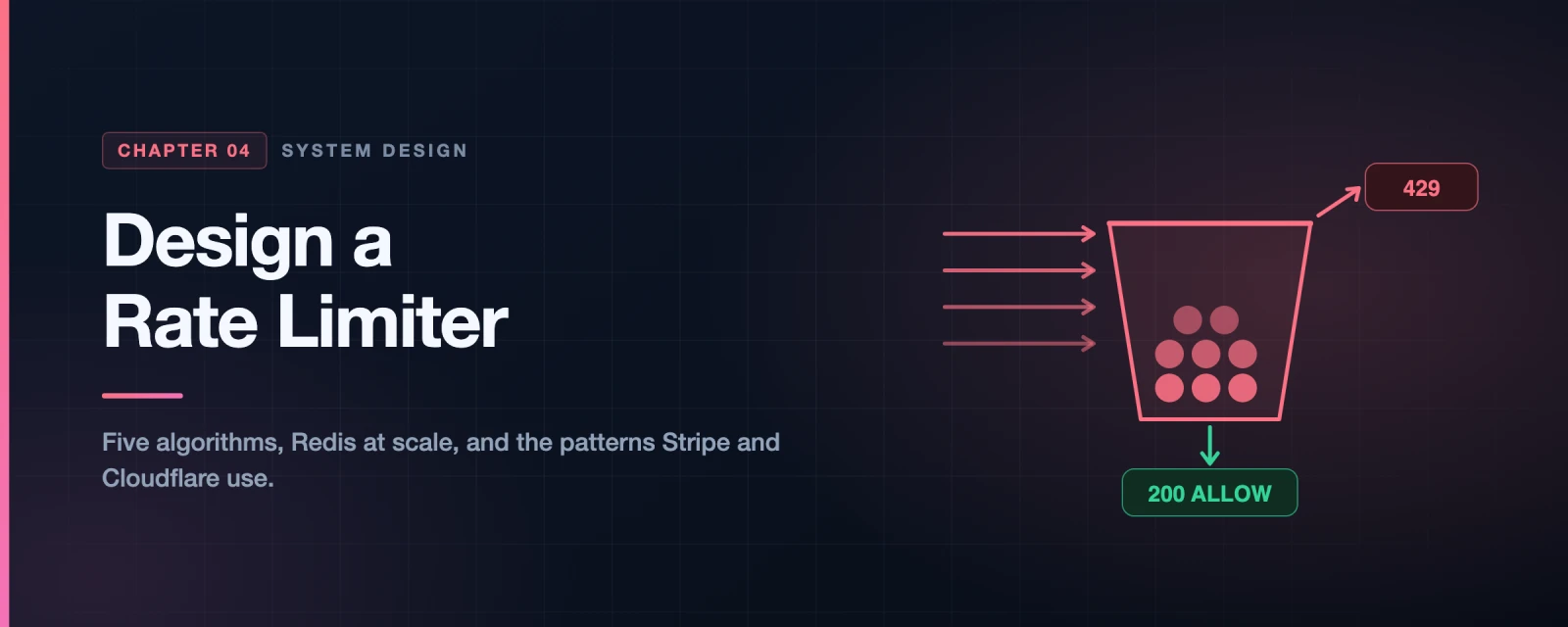
Design a Rate Limiter
It’s 11:59 PM on Black Friday. Your e-commerce platform has been running smoothly all day. Then at midnight, 500,000 shoppers simultaneously hammer your /checkout API. Your servers start queuing requests. Then they start dropping requests. Then they crash. Every second of downtime costs thousands of dollars in lost sales.
Meanwhile, a competitor’s site — running the exact same infrastructure — handles the load just fine. The difference? They had a rate limiter.
A rate limiter is like the bouncer at an exclusive club. It doesn’t care who you are. It enforces one rule: you can only enter at a certain pace. Too fast? You wait outside. This single mechanism protects your entire system from overload, abuse, and runaway costs.
In this article, we’re going to build one — from scratch — understanding every algorithm, every architectural decision, and every subtle problem that bites teams in production. By the end, you’ll understand exactly how Amazon, Stripe, Shopify, and Cloudflare throttle billions of API calls every single day.
What Exactly Is a Rate Limiter?
In plain English: a rate limiter controls how many requests a client can make to your system within a given time window.
Here are concrete examples straight from real systems:
- Twitter limits each user to 300 tweets per 3 hours
- Google Docs APIs allow 300 requests per user per 60 seconds
- GitHub API allows 60 unauthenticated requests per hour per IP
- Stripe allows 100 API requests per second per API key
- You can create a maximum of 10 accounts per day from the same IP address
- A user can write no more than 2 posts per second on a social platform
When a client exceeds these limits, the server returns an HTTP 429 Too Many Requests response and the excess calls are blocked.
Why Does Every Serious API Need One?
There are three core reasons, and they’re all compelling:
graph TD
    RL["Rate Limiter"]

    RL --> R1["Prevent DoS Attacks\n\nAlmost all APIs at large tech companies\nenforce rate limiting. Even an unintentional\nbug in a client that fires 500 req/sec\ncan take down your entire system."]
    RL --> R2["Reduce Cost\n\nIf you call a paid third-party API\nlike Stripe, Twilio, or AWS Rekognition,\neach call costs money.\nRate limiting prevents runaway bills."]
    RL --> R3["Prevent Server Overload\n\nFilter out excess requests from bots,\nscrapers, and badly-written clients.\nProtect your database and keep the\nexperience fast for legitimate users."]

    style RL fill:#6366f1,color:#fff
    style R1 fill:#EF4444,stroke:#B91C1C,color:#fff
    style R2 fill:#F59E0B,stroke:#B45309,color:#fff
    style R3 fill:#10B981,stroke:#047857,color:#fff
The DoS angle is especially important. DoS (Denial of Service) attacks don’t have to be malicious. A junior developer at a client company accidentally puts their API call inside a while(true) loop. Without a rate limiter, they’ll take your system down just as effectively as an attacker would.
Step 1 — Understand the Problem First
In a real system design interview (and in real life), you never jump straight to the solution. You ask questions. Here’s how a great interview conversation about this problem looks:
sequenceDiagram
    participant C as Candidate
    participant I as Interviewer

    C->>I: What kind of rate limiter? Client-side or server-side?
    I-->>C: Server-side API rate limiter.

    C->>I: Should it throttle by IP, user ID, or something else?
    I-->>C: Flexible enough to support different throttle rules.

    C->>I: What's the scale? Startup or a large user base?
    I-->>C: Must handle a large number of requests.

    C->>I: Will the system work in a distributed environment?
    I-->>C: Yes.

    C->>I: Separate service or embedded in application code?
    I-->>C: That's a design decision — up to you.

    C->>I: Do we need to inform users when they're throttled?
    I-->>C: Yes.

    Note over C,I: Requirements now locked ✓
After clarifying, here’s the requirements summary we’re designing for:
| Requirement | Detail |
|---|---|
| Accuracy | Accurately limit excessive requests |
| Low latency | Must not slow down HTTP response time |
| Memory | Use as little memory as possible |
| Distributed | Shared across multiple servers or processes |
| Exception handling | Show clear error when requests are throttled |
| Fault tolerance | If cache server goes offline, system still works |
Step 2 — Where Should the Rate Limiter Live?
This is the first real architectural decision, and it has more nuance than most people realise.
flowchart TD
    USER["Client\nMobile / Web / API consumer"]

    USER -->|Option A| CLIENT_RL["✗ Client-side Rate Limiter\n\nUnreliable! Clients can be forged.\nA malicious actor can simply\nbypass or spoof the client.\nNEVER depend on this alone."]

    USER -->|Option B| SERVER_RL["✓ Server-side Rate Limiter\n\nThe rate limiter sits inside\nyour API server code.\nFull control, but adds complexity\nto each individual service."]

    USER -->|Option C| MIDDLEWARE["✓✓ Rate Limiter Middleware\n\nActs as a wall between clients\nand your API servers.\nBest choice for most architectures.\nRequests pass through only if allowed."]

    USER -->|Option D| GATEWAY["✓✓✓ API Gateway\n\nFully managed service.\nSupports rate limiting, SSL termination,\nauthentication, IP whitelisting.\nBest if you're already using microservices.\nExamples: AWS API Gateway, Kong, Apigee"]

    style CLIENT_RL fill:#EF4444,stroke:#B91C1C,color:#fff
    style SERVER_RL fill:#F59E0B,stroke:#B45309,color:#fff
    style MIDDLEWARE fill:#10B981,stroke:#047857,color:#fff
    style GATEWAY fill:#3B82F6,stroke:#1D4ED8,color:#fff
The practical guidance from the book:
- If you already use an API gateway for authentication and SSL termination, add rate limiting there — it’s already in the request path
- If you need fine-grained algorithm control that third-party gateways don’t support, implement it in your server-side code
- If your team doesn’t have bandwidth to build a custom rate limiter, use a commercial gateway — it’s better to have imperfect rate limiting than none
The rest of this article focuses on designing the rate limiting logic itself, which applies regardless of where you deploy it.
Step 3 — The Five Algorithms: A Deep Dive
This is the most important section. There are five well-known rate limiting algorithms. Each has different properties, tradeoffs, and ideal use cases. Understanding all five is what separates a junior engineer from a senior one.
Algorithm 1: Token Bucket 🪣
Used by: Amazon AWS, Stripe, most REST APIs in production
The everyday analogy: Imagine you have a bucket that holds coins. Every second, the refiller drops 2 coins in. You need 1 coin to make an API call. If the bucket is full and more coins arrive, they spill over (overflow). If you want to make a call but the bucket is empty — sorry, your request is dropped.
Here’s the visual of the bucket itself:
flowchart TD
    subgraph REFILLER["Refiller: 4 tokens/minute"]
        T1["●"]
        T2["●"]
    end

    REFILLER -->|adds tokens| BUCKET

    subgraph BUCKET["Token Bucket\nCapacity: 4"]
        direction LR
        TOK1["●"]
        TOK2["●"]
        TOK3["●"]
        TOK4["●"]
    end

    OVERFLOW["Overflow: extra tokens\nare discarded "]
    BUCKET -.->|if full| OVERFLOW
    style T1 fill:#F59E0B,stroke:#B45309,color:#fff
    style T2 fill:#F59E0B,stroke:#B45309,color:#fff
    style TOK1 fill:#F59E0B,stroke:#B45309,color:#fff
    style TOK2 fill:#F59E0B,stroke:#B45309,color:#fff
    style TOK3 fill:#F59E0B,stroke:#B45309,color:#fff
    style TOK4 fill:#F59E0B,stroke:#B45309,color:#fff
How a request is processed:
flowchart LR
    REQ["Request arrives"] --> CHECK{" Enough\ntokens\nin bucket?"}
    CHECK -->|"✓ Yes: take 1 token"| FORWARD["Forward to\nAPI Server ✓"]
    CHECK -->|"✗ No tokens left"| DROP["Drop request\nHTTP 429 ✗"]
    FORWARD --> PROCESS["API processes\nand responds"]
Let’s walk through a concrete example step by step:
The bucket size is 4. Refill rate is 4 tokens per minute.
sequenceDiagram
    participant Client
    participant Bucket as Bucket (capacity=4)
    participant API

    Note over Bucket: 1:00:00 — Start with 4 tokens
    Client->>Bucket: Request arrives
    Bucket->>Bucket: tokens=4 ≥ 1 ✓ → take 1 token → tokens=3
    Bucket->>API: Forward request
    API-->>Client: 200 OK ✓

    Note over Bucket: 1:00:05 — 3 simultaneous requests
    Client->>Bucket: 3 requests at once
    Bucket->>Bucket: tokens=3 ≥ 3 ✓ → take 3 tokens → tokens=0
    Bucket->>API: Forward all 3
    API-->>Client: 200 OK × 3 ✓

    Note over Bucket: 1:00:20 — Bucket is empty!
    Client->>Bucket: New request arrives
    Bucket->>Bucket: tokens=0 ✗ Not enough!
    Bucket-->>Client: HTTP 429 Too Many Requests ✗

    Note over Bucket: 1:01:00 — Refiller kicks in
    Bucket->>Bucket: Refill: tokens = 4 (full again)
    Client->>Bucket: New request
    Bucket->>Bucket: tokens=4 ≥ 1 ✓ → take 1 → tokens=3
    Bucket->>API: Forward request
    API-->>Client: 200 OK ✓
The two parameters you tune:
- Bucket size — maximum tokens the bucket can hold (controls max burst)
- Refill rate — tokens added per second (controls sustained rate)
How many buckets do you create?
This depends on your throttle rules. You might need multiple buckets per user:
graph LR
    USER["User: alice@company.com"]

    USER --> B1["Bucket 1\nPOST /posts\nLimit: 1/sec"]
    USER --> B2["Bucket 2\nPOST /friends/add\nLimit: 150/day"]
    USER --> B3["Bucket 3\nPOST /likes\nLimit: 5/sec"]

    IP["IP: 203.0.113.42"]
    IP --> B4["Bucket 4\nAll endpoints\nLimit: 100/min"]

    GLOBAL["Global"]
    GLOBAL --> B5["Bucket 5\nTotal system\nLimit: 10,000/sec"]
Pros and Cons:
| ✅ Pros | ❌ Cons |
|---|---|
| Easy to implement | Two parameters — can be tricky to tune correctly |
| Very memory efficient | A burst is possible right at refill time |
| Allows short bursts (real usage patterns) | — |
| Used everywhere in production | — |
Algorithm 2: Leaky Bucket 🚿
Used by: Shopify
The analogy: Instead of a bucket of tokens, picture a regular bucket with a small hole in the bottom. Water (requests) pours in from the top. It drips out at a constant, fixed pace from the hole. If water pours in faster than it drips out, the bucket overflows and excess water is lost.
The key difference from Token Bucket: requests are processed at a fixed, constant rate regardless of how many come in.
flowchart TD
    REQUESTS["Incoming Requests\n(can be bursty)"]

    REQUESTS --> CHECK{"Bucket\nfull?"}
    CHECK -->|"No — add to queue"| QUEUE

    subgraph QUEUE["FIFO Queue (size = 4)\nRequests wait here in order"]
        direction LR
        R1["Req 1"] --> R2["Req 2"] --> R3["Req 3"] --> R4["Req 4"]
    end

    CHECK -->|"Yes — overflow ✗"| DROP["Drop request\nHTTP 429 ✗"]

    QUEUE -->|"Drips out at fixed rate\n e.g. 1 request/second"| API["API Server\nProcesses at steady pace"]
The crucial difference, illustrated:
graph LR
    subgraph TOKEN["Token Bucket behaviour"]
        direction TB
        T_IN["5 requests arrive\nat once"]
        T_PROCESS["All 5 processed\nimmediately\n(burst allowed ✓)"]
        T_IN --> T_PROCESS
    end

    subgraph LEAKY["Leaky Bucket behaviour"]
        direction TB
        L_IN["5 requests arrive\nat once"]
        L_Q["5 queue up"]
        L_P1["1 processed → wait 1s"]
        L_P2["1 processed → wait 1s"]
        L_P3["1 processed → wait 1s"]
        L_IN --> L_Q --> L_P1 --> L_P2 --> L_P3
    end
The two parameters:
- Bucket size = queue size (how many requests can wait)
- Outflow rate = how many requests processed per second (the “leak”)
Pros and Cons:
| ✅ Pros | ❌ Cons |
|---|---|
| Memory efficient (fixed queue size) | A burst fills the queue with OLD requests |
| Stable, predictable processing rate | Recent requests get dropped even if the system recovers |
| Great for downstream services needing steady input | Two parameters are hard to tune for bursty workloads |
Best for: Payment processing pipelines, email sending queues, systems that talk to downstream services with strict rate requirements.
Algorithm 3: Fixed Window Counter 🗓️
The analogy: Think of a day planner divided into exact 1-minute slots. Each slot has a counter. Every request in that minute increments the counter. When the counter hits the limit, all remaining requests that minute are rejected. When the next minute starts, the counter resets to zero.
gantt
    title Fixed Window Counter — Limit: 3 requests/second
    dateFormat X
    axisFormat Second %S

    section Second :00
    ✓ Request 1 : done, 0, 1
    ✓ Request 2 : done, 1, 1
    ✓ Request 3 : done, 2, 1

    section Second :01
    ✓ Request 4 : done, 3, 1
    ✓ Request 5 : done, 4, 1
    ✗ Request 6 (dropped) : crit, 5, 1
    ✗ Request 7 (dropped) : crit, 6, 1

    section Second :02
    ✓ Request 8 : done, 7, 1
    ✓ Request 9 : done, 8, 1
The implementation is dead simple. In Redis: INCR user:123:window:1685484000 with an EXPIRE matching the window size.
BUT — there’s a critical bug you must know about.
The Fixed Window algorithm has a nasty edge-case vulnerability called the boundary burst problem. Here’s how an attacker (or just unlucky timing) can let 2× the allowed requests through:
Assume the limit is 5 requests per minute, and windows reset at the top of each minute:
---
config:
  xyChart:
    width: 700
    height: 300
---
xychart-beta
    title "Boundary Burst — 10 requests sneak through in 60 seconds (limit is 5/min)"
    x-axis ["2:00:00", "2:00:30", "2:01:00 (reset!)", "2:01:30", "2:02:00"]
    y-axis "Requests" 0 --> 6
    bar [0, 5, 0, 5, 0]
- At 2:00:30, attacker fires 5 requests → uses up minute 1’s quota. ✅ (5 allowed)
- Window resets at 2:01:00
- At 2:01:00, attacker fires 5 more requests → uses up minute 2’s quota. ✅ (5 allowed)
- Between 2:00:30 and 2:01:30 — a single 60-second span — 10 requests went through, which is double the intended limit of 5 per minute.
This is the core flaw the sliding window algorithms fix.
Pros and Cons:
| ✅ Pros | ❌ Cons |
|---|---|
| Very easy to understand and implement | Boundary burst can allow 2× the intended limit |
| Extremely memory efficient (just a counter) | Strict use cases (auth, billing) should avoid this |
| Resetting quota at window boundary is intuitive | — |
Algorithm 4: Sliding Window Log 📋
The core idea: Instead of counting per fixed window, we log the exact timestamp of every request. When a new request arrives, we:
- Remove all timestamps older than
now - windowSize - Add the current timestamp
- If the log size ≤ limit → allow. If log size > limit → reject.
sequenceDiagram
    participant C as Client
    participant RL as Rate Limiter
    participant LOG as Timestamp Log\n(limit: 2 req/min)
    Note over LOG: Log = []

    C->>RL: Request at 1:00:01
    RL->>LOG: Purge old entries (none to purge)
    RL->>LOG: Add timestamp 1:00:01
    Note over LOG: Log = [1:00:01] → size=1 ≤ 2 ✓
    RL-->>C: ✓ Allowed

    C->>RL: Request at 1:00:30
    RL->>LOG: Purge old entries (none to purge)
    RL->>LOG: Add timestamp 1:00:30
    Note over LOG: Log = [1:00:01, 1:00:30] → size=2 ≤ 2 ✓
    RL-->>C: ✓ Allowed

    C->>RL: Request at 1:00:50
    RL->>LOG: Purge entries older than 12:59:50 (none)
    RL->>LOG: Add timestamp 1:00:50
    Note over LOG: Log = [1:00:01, 1:00:30, 1:00:50] → size=3 > 2 ✗
    RL-->>C: ✗ HTTP 429 Rejected
    Note over LOG: Rejected, but 1:00:50 stays in log!

    C->>RL: Request at 1:01:40
    RL->>LOG: Purge entries older than 1:00:40
    Note over LOG: Removed: 1:00:01, 1:00:30 (older than 1:00:40)
    RL->>LOG: Add timestamp 1:01:40
    Note over LOG: Log = [1:00:50, 1:01:40] → size=2 ≤ 2 ✓
    RL-->>C: ✓ Allowed (rolling window is accurate!)
Notice that at 1:01:40, the entries from 1:00:01 and 1:00:30 were purged because they fall outside the 1-minute rolling window. The rolling window always stays accurate.
Pros and Cons:
| ✅ Pros | ❌ Cons |
|---|---|
| Highly accurate — no boundary burst problem | High memory usage: every timestamp is stored |
| True rolling window, always precise | Even rejected requests consume memory (their timestamp stays) |
When to use: Strict compliance APIs where you cannot allow any boundary burst — financial transaction limits, regulatory rate limits.
How it is actually built: Redis sorted sets.
The description above sounds expensive, but there is a standard implementation that makes it cheap, and it is what interviewers are hoping you name. A Redis sorted set (ZSET) per key, with the timestamp used as both member and score, gives you purge-and-count in two O(log n) operations:
ZREMRANGEBYSCORE  ratelimit:user:42   0   (now - window)   # drop what rolled out
ZCARD             ratelimit:user:42                        # how many remain
ZADD              ratelimit:user:42   now  now             # record this request
EXPIRE            ratelimit:user:42   window               # let idle keys die
Run as four separate commands this has the exact race condition described earlier — two concurrent requests can both read a count of 9 against a limit of 10 and both be allowed. Wrap it in a Lua script so Redis executes it atomically:
-- KEYS[1] = rate limit key, ARGV = now_ms, window_ms, limit
local now, window, limit = tonumber(ARGV[1]), tonumber(ARGV[2]), tonumber(ARGV[3])
redis.call('ZREMRANGEBYSCORE', KEYS[1], 0, now - window)
local count = redis.call('ZCARD', KEYS[1])
if count < limit then
  redis.call('ZADD', KEYS[1], now, now)
  redis.call('PEXPIRE', KEYS[1], window)
  return {1, limit - count - 1}          -- allowed, remaining
end
return {0, 0}                             -- rejected
Two details worth mentioning out loud, because they are the difference between a textbook answer and a working one:
- This version does not store rejected requests. The
ZADDonly runs on the allow path. The book’s description keeps rejected timestamps in the log, which means a client being throttled hard keeps its own window permanently full and can never recover. Excluding them is almost always what you want. - Memory is bounded by the limit, not by traffic. A 100 requests/minute limit stores at most 100 entries per key regardless of how many requests arrive, because everything outside the window is purged on every call. That defuses the “high memory usage” objection in the table above — the real cost is one sorted set per active client, not per request.
Algorithm 5: Sliding Window Counter — The Best of Both Worlds 🏆
Used by: Cloudflare (400 million requests/day, 0.003% error rate)
This algorithm is a hybrid that combines the memory efficiency of Fixed Window Counter with the accuracy of Sliding Window Log. It doesn’t store timestamps — it only stores two simple counters.
The core insight: Instead of tracking exact timestamps, we approximate the rolling count by assuming requests in the previous window were evenly distributed.
flowchart LR
    subgraph PREV["Previous minute\n(2:00:00 - 2:01:00)\nCounter = 5 requests"]
        P1["■■■■■"]
    end

    subgraph CURR["Current minute\n(2:01:00 - 2:02:00)\nCounter = 3 requests"]
        C1["■■■"]
        CURSOR["▲ Current time\n= 30% into\ncurrent window"]
    end

    FORMULA["Rolling window estimate:\n\n3 + 5 × 70% = 3 + 3.5 = 6.5\n\nRounded down → 6\nLimit = 7 → ✓ Request ALLOWED"]

    PREV --> FORMULA
    CURR --> FORMULA
The formula:
Rolling count = current_window_requests + previous_window_requests × overlap_percentage
Where overlap_percentage = what fraction of the previous window overlaps with the rolling window.
If we’re 30% into the current minute, then 70% of the previous minute is within our rolling window.
Worked example:
- Limit: 7 requests/minute
- Previous window: 5 requests
- Current window (so far): 3 requests
- We’re 30% into current window → previous window overlap = 70%
- Rolling estimate = 3 + 5 × 0.70 = 6.5 → rounded to 6
- 6 < 7 → Request allowed ✅
One more request arrives:
- Rolling estimate = 4 + 5 × 0.70 = 7.5 → rounded to 7
- 7 = 7 → Right at the limit, request allowed (or denied depending on implementation)
Why does Cloudflare trust this approximation?
This algorithm assumes requests in the previous window were evenly distributed across time. That’s not always true. But in Cloudflare’s experiment across 400 million requests, this assumption was wrong only 0.003% of the time. That’s an extraordinary level of accuracy with essentially no extra memory cost.
Pros and Cons:
| ✅ Pros | ❌ Cons |
|---|---|
| Smooths out edge-case spikes | Approximate — not 100% accurate |
| Very memory efficient (just 2 counters) | Assumes uniform distribution in previous window |
| Proven accurate at Cloudflare scale | — |
| No timestamp storage needed | — |
Comparing All Five Side by Side
quadrantChart
    title Algorithm Tradeoffs — Accuracy vs Memory Efficiency
    x-axis "Low Memory Efficiency" --> "High Memory Efficiency"
    y-axis "Low Accuracy" --> "High Accuracy"
    quadrant-1 "Best: High accuracy + Low memory"
    quadrant-2 "Accurate but expensive"
    quadrant-3 "Avoid: Low quality"
    quadrant-4 "Simple but inaccurate"

    Sliding Window Counter: [0.87, 0.88]
    Token Bucket: [0.82, 0.72]
    Leaky Bucket: [0.78, 0.62]
    Fixed Window Counter: [0.92, 0.28]
    Sliding Window Log: [0.15, 0.95]
| Algorithm | Memory | Accuracy | Burst OK? | Real-world usage |
|---|---|---|---|---|
| Token Bucket | Low ✅ | Medium | Yes ✅ | AWS, Stripe |
| Leaky Bucket | Low ✅ | Medium | No | Shopify |
| Fixed Window | Very Low ✅ | Low ❌ | Yes (exploitable) | Simple internal tools |
| Sliding Window Log | High ❌ | Very High ✅ | No | Strict compliance APIs |
| Sliding Window Counter | Low ✅ | High ✅ | Yes ✅ | Cloudflare |
My recommendation: For most teams building a public API, Token Bucket is the right default. For high-scale systems that need accuracy without memory cost, use Sliding Window Counter.
Step 4 — High-Level Architecture
Now that we understand the algorithms, let’s design the actual system around them.
Why Redis (and not a database)?
The basic idea: we need a counter per user (or IP, or API key) that we can increment atomically on every single request.
You might think: “Why not use PostgreSQL?” Let’s think about that:
- A busy API might handle 50,000 requests per second
- Each request needs a counter read + increment
- That’s 100,000 database operations per second
- A typical PostgreSQL instance maxes out at ~10,000 simple operations per second
- With disk-based storage and connection overhead — you’d never keep up
Redis is different:
- In-memory — no disk I/O
- Single-threaded — operations are naturally serialized, no locking needed
- Sub-millisecond response time
- INCR + EXPIRE — atomic operations purpose-built for this
graph LR
    CLIENT["Client"] -->|HTTP Request| RL["Rate Limiter\nMiddleware"]

    RL <-->|"① INCR user:123:counter\n② check vs limit\n③ EXPIRE if new key"| REDIS[(" Redis\nIn-memory counter store")]

    RL -->|"✓ Under limit\nForward request"| API["API Servers"]
    RL -->|"✗ Over limit\nHTTP 429 + headers"| CLIENT

    API -->|Response| CLIENT
The flow in detail:
- Client sends request to rate limiter middleware
- Rate limiter fetches the counter from Redis for this user/IP/key
- If counter + 1 > limit → reject with HTTP 429, return headers
- If counter + 1 ≤ limit → increment counter, forward to API servers
- If the counter key doesn’t exist yet → create it with an EXPIRE matching the window
Step 5 — Rate Limiting Rules
Rules define the policies. A rate limiter without rules is useless. Inspired by Lyft’s open-source rate limiter, rules are typically stored in config files:
# 5 marketing messages per day
domain: messaging
descriptors:
  - key: message_type
    value: marketing
    rate_limit:
      unit: day
      requests_per_unit: 5

# 5 login attempts per minute (brute-force protection)
domain: auth
descriptors:
  - key: auth_type
    value: login
    rate_limit:
      unit: minute
      requests_per_unit: 5

# Free tier: 60 API calls/hour, Paid tier: 3600/hour
domain: api
descriptors:
  - key: user_tier
    value: free
    rate_limit:
      unit: hour
      requests_per_unit: 60
  - key: user_tier
    value: paid
    rate_limit:
      unit: hour
      requests_per_unit: 3600
How rules flow through the system:
flowchart TD
    DISK[(" Config files\nstored on disk")]
    WORKERS["Background Workers\n(pull rules periodically)"]
    CACHE[(" Rules Cache\n(fast in-memory read)")]

    DISK -->|"workers pull every ~60s"| WORKERS
    WORKERS -->|"update cache"| CACHE

    REQ["Incoming request\nGET /api/v1/posts\nUser: alice, Tier: free"] --> RL["Rate Limiter"]
    RL -->|"① Load rule for\nfree-tier users"| CACHE
    CACHE -->|"Rule: 60 req/hour"| RL
    RL -->|"② Check + increment\ncounter in Redis"| REDIS[(" Redis")]
    REDIS -->|"counter = 47"| RL
    RL -->|"③ 47 < 60 ✓"| API["API Server"]
    RL -->|"If over limit ✗"| RESP429["HTTP 429 + headers"]
Step 6 — Communicating Rate Limits to Clients
When you rate limit a client, don’t just drop them silently. Give them the information they need to behave properly. The standard headers are:
HTTP/1.1 429 Too Many Requests
Content-Type: application/json
X-RateLimit-Limit: 100
X-RateLimit-Remaining: 0
X-RateLimit-Reset: 1748649600
Retry-After: 42

{
  "error": "rate_limit_exceeded",
  "message": "You have exceeded your rate limit of 100 requests/minute.",
  "retry_after_seconds": 42
}
| Header | What it tells the client |
|---|---|
X-RateLimit-Limit | Your total allowed requests per window |
X-RateLimit-Remaining | How many you have left right now |
X-RateLimit-Reset | Unix timestamp when your quota resets |
Retry-After | Seconds to wait before retrying |
A well-behaved client reads these headers and adapts. A poorly-written client ignores them and keeps hammering — which is exactly why you need the rate limiter in the first place.
Step 7 — The Full Detailed Design
Now let’s put it all together into a production-grade design. This is the system we’d actually build.
graph TB
    subgraph CLIENTS["Clients"]
        C1["Mobile App"]
        C2["Web Browser"]
        C3["3rd Party API"]
    end

    subgraph INFRA["Your Infrastructure"]

        subgraph RL_CLUSTER["Rate Limiter Cluster (stateless)"]
            RL1["Rate Limiter 1"]
            RL2["Rate Limiter 2"]
            RL3["Rate Limiter 3"]
        end

        subgraph RULES_LAYER["Rules Layer"]
            RULES_DISK[(" Rules on Disk")]
            WORKERS["Workers"]
            RULES_CACHE[(" Cached Rules")]
            RULES_DISK --> WORKERS --> RULES_CACHE
        end

        subgraph REDIS_LAYER["Redis Cluster (shared counters)"]
            REDIS[(" Redis")]
        end

        subgraph API_LAYER["API Servers"]
            API1["Server 1"]
            API2["Server 2"]
        end

        subgraph OVERFLOW_HANDLING["Rate-Limited Request Handling"]
            DROP["Drop (Option A)"]
            MQ["Message Queue\nfor async processing\n(Option B — e.g. orders)"]
        end

    end

    C1 & C2 & C3 --> RL1 & RL2 & RL3
    RL1 & RL2 & RL3 <-->|"read rules"| RULES_CACHE
    RL1 & RL2 & RL3 <-->|"atomic INCR\ncheck counter"| REDIS
    RL1 & RL2 & RL3 -->|"✓ allowed"| API1 & API2
    RL1 & RL2 & RL3 -->|"✗ rate-limited\nOption A"| DROP
    RL1 & RL2 & RL3 -->|"✗ rate-limited\nOption B"| MQ
    RL1 & RL2 & RL3 -->|"429 + headers"| C1 & C2 & C3
The detailed flow:
Rules are stored on disk. Background workers periodically pull the latest rules and store them in a fast local cache. Each rate limiter instance has its own rules cache — no network hop needed to look up a rule.
A client request arrives at one of the rate limiter instances (via load balancer).
The rate limiter loads the applicable rule from its local cache (e.g. “free-tier users: 60/hour”).
It fetches the current counter from Redis and atomically increments it.
Decision:
- If counter ≤ limit → forward request to API servers
- If counter > limit → return 429 to the client. The excess request is either:
- Option A: Dropped entirely
- Option B: Queued in a message queue for later processing (useful when requests must eventually be processed, e.g. order submissions)
Step 8 — The Hard Problem: Distributed Rate Limiting
Here’s where it gets interesting. Running a rate limiter on one server is easy. But what happens when you have 10 rate limiter servers running simultaneously? Two nasty problems emerge.
Problem 1: Race Condition ⚡
Every rate limiter follows this sequence:
- Read counter from Redis
- Check if counter + 1 > limit
- If not, increment counter in Redis
In a concurrent system, this sequence can interleave dangerously:
sequenceDiagram
    participant RL1 as Rate Limiter 1
    participant RL2 as Rate Limiter 2
    participant R as Redis\n(counter = 3, limit = 4)
    Note over R: Counter = 3

    RL1->>R: READ counter
    R-->>RL1: counter = 3

    RL2->>R: READ counter (same instant!)
    R-->>RL2: counter = 3

    Note over RL1: 3 < 4 ✓ Allow request 1
    Note over RL2: 3 < 4 ✓ Allow request 2

    RL1->>R: WRITE counter = 4 (3+1)
    RL2->>R: WRITE counter = 4 (3+1)

    Note over R: Counter = 4, but should be 5!
    Note over R: Both requests were allowed when only ONE should have been.
    Note over R: We've exceeded our limit!
Both rate limiters read 3, both think it’s safe to proceed, both increment to 4. But the correct value is 5. We’ve allowed one extra request beyond our limit.
The fix: Lua scripts in Redis
Redis is single-threaded. If you wrap your entire read-check-increment logic in a Lua script, Redis executes it as a single, atomic, uninterruptible operation. No two Lua scripts can interleave.
-- This entire script runs atomically in Redis
-- No other command can execute between these lines
local key = KEYS[1]
local limit = tonumber(ARGV[1])
local window_seconds = tonumber(ARGV[2])

local current = redis.call("INCR", key)

-- Set expiry only when first creating the key
if current == 1 then
    redis.call("EXPIRE", key, window_seconds)
end

-- Return 1 (allowed) or 0 (rejected)
if current > limit then
    return 0
else
    return 1
end
Because the script is atomic, the race condition is impossible. Lua scripts are the standard solution — also used internally by popular rate limiting libraries.
Problem 2: Synchronization 🔄
Imagine you have two rate limiter servers. A client sends requests that are load-balanced between them:
graph LR
    subgraph BAD["✗ Without Centralized State"]
        C1["Client 1"]
        C2["Client 2"]
        RL_A["Rate Limiter A\nMemory: {user1: 3}"]
        RL_B["Rate Limiter B\nMemory: {user1: 2}"]

        C1 --> RL_A
        C1 -.->|"sometimes routed here"| RL_B
        C2 --> RL_B

        NOTE["✗ Rate Limiter A doesn't know\nClient 1 also hit Rate Limiter B.\nActual count: 5, but\nA thinks it's 3, B thinks it's 2."]
    end
graph LR
    subgraph GOOD["✓ With Centralized Redis"]
        C3["Client 1"]
        C4["Client 2"]
        RL_C["Rate Limiter A"]
        RL_D["Rate Limiter B"]
        REDIS[(" Redis\nuser1: 5 ← true count")]

        C3 --> RL_C & RL_D
        C4 --> RL_D
        RL_C <-->|"read/write"| REDIS
        RL_D <-->|"read/write"| REDIS

        NOTE2["✓ Both rate limiters share\none source of truth.\nNo matter which server\nthe client hits, the count\nis always accurate."]
    end
The solution is simple: All rate limiter servers must share state through a centralized Redis cluster. The rate limiters themselves are stateless — they hold no local counters, only local rules cache.
Step 9 — Performance Optimization
Once you’ve solved correctness, optimize for speed and global scale.
Optimization 1: Multi-Data Center Deployment
A user in Tokyo calling a rate limiter in Virginia adds 150ms of latency just for the rate limit check. That’s unacceptable.
graph TD
    subgraph GLOBAL["Global Deployment"]
        subgraph US["🇺🇸 US East\n(Virginia)"]
            US_RL["Rate Limiter"]
            US_R[("Redis Cluster")]
            US_API["API Servers"]
            US_RL <--> US_R
            US_RL --> US_API
        end

        subgraph EU["🇪🇺 EU West\n(Ireland)"]
            EU_RL["Rate Limiter"]
            EU_R[("Redis Cluster")]
            EU_API["API Servers"]
            EU_RL <--> EU_R
            EU_RL --> EU_API
        end

        subgraph AP["🇯🇵 Asia Pacific\n(Tokyo)"]
            AP_RL["Rate Limiter"]
            AP_R[("Redis Cluster")]
            AP_API["API Servers"]
            AP_RL <--> AP_R
            AP_RL --> AP_API
        end

        US_R <-.->|"async replication\n(eventual consistency)"| EU_R
        EU_R <-.->|"async replication"| AP_R
        AP_R <-.->|"async replication"| US_R
    end

    USER_JP["User in Tokyo"] --> AP_RL
    USER_US["User in NY"] --> US_RL
    USER_EU["User in London"] --> EU_RL
Cloudflare runs 194 edge server locations worldwide, so every rate limit check happens within a few milliseconds of the client.
Optimization 2: Eventual Consistency
When you replicate Redis across multiple regions asynchronously, the counters aren’t perfectly synchronized in real time. A user’s counter in Tokyo and Virginia might differ by a few requests for a fraction of a second.
This is a deliberate tradeoff: slightly imprecise counting vs low latency for every user in the world. Cloudflare’s data shows this imprecision affects only 0.003% of requests — a perfectly acceptable trade.
If you need strict consistency (e.g. financial APIs), synchronize data with a strong consistency model and accept the latency cost.
Step 10 — Monitoring
Deploying a rate limiter and forgetting about it is a mistake. You must monitor it continuously.
flowchart LR
    RL["Rate Limiter"]

    RL -->|"Emit metrics"| METRICS[(" Prometheus\nMetrics Store")]
    METRICS --> GRAFANA["Grafana Dashboard"]
    METRICS --> ALERTS{" Alert Rules"}

    ALERTS -->|"Rejection rate > 15%"| ALERT1["Rules too strict!\nLegitimate users being blocked.\nConsider relaxing limits."]

    ALERTS -->|"Rejection rate drops to 0%"| ALERT2["Rules too loose?\nOr attack bypassing limiter.\nCheck for anomalies."]

    ALERTS -->|"Flash sale detected:\n100× traffic spike"| ALERT3["Consider switching\nto Token Bucket\nfor burst tolerance."]
Two things to validate constantly:
Algorithm effectiveness — Are the right requests being blocked?
- If a flash sale sends real users into 429s → your rules are too strict for burst events. Consider switching to Token Bucket which allows short bursts.
- If a bot is bypassing your limiter → check if they’re rotating IPs, using distributed networks, or exploiting algorithm weaknesses.
Rule effectiveness — Are the rules the right thresholds?
- If 15% of requests are being rejected for a normally well-behaved endpoint → your limit is probably too low.
- If an endpoint that should be protected shows 0% rejections during an attack → your limit is too high.
Bonus — Advanced Topics for Interviews
These are points you can raise in the “wrap-up” phase of a system design interview to show depth:
Hard vs Soft Rate Limiting
flowchart TD
    REQ["Request arrives\n(over limit)"]

    REQ --> HARD["Hard Rate Limiting\n\nCannot exceed threshold.\nPeriod.\n\nHTTP 429 — no exceptions.\n\nBest for: login endpoints,\nbilling APIs, admin actions"]

    REQ --> SOFT["Soft Rate Limiting\n\nCan temporarily exceed\nfor short bursts.\n\nHTTP 200 with warning header:\nX-RateLimit-Warning: near-limit\n\nBest for: content APIs,\nnon-critical endpoints"]
    style HARD fill:#EF4444,stroke:#B91C1C,color:#fff
    style SOFT fill:#F59E0B,stroke:#B45309,color:#fff
Rate Limiting at Different OSI Layers
Most of this article covers Layer 7 (HTTP/Application). But rate limiting can happen at multiple layers:
graph TD
    L3["Layer 3 — Network (IP)\nBlock by source IP packets\nTool: iptables, cloud firewalls\nBest for: volumetric DDoS attacks"]
    L4["Layer 4 — Transport (TCP)\nLimit TCP connections per IP\nTool: Load balancer connection limits\nBest for: connection flood attacks"]
    L7["Layer 7 — Application (HTTP)\nThrottle by user ID, API key, endpoint\nTool: API Gateway, middleware\nBest for: API abuse, scraping"]

    L3 -->|"Passes to"| L4 -->|"Passes to"| L7

    DDOS["DDoS Attacker\n(millions of packets)"] -->|"Blocked at L3"| L3
    BOT["Scraper Bot\n(many connections)"] -->|"Blocked at L4"| L4
    USER["Abusive User\n(too many API calls)"] -->|"Blocked at L7"| L7
Pro tip: Layer your defences. A well-architected system uses cloud firewall rules at L3 for volumetric attacks, connection limits at L4, and application-level rate limiting at L7.
How to Write a Well-Behaved API Client
flowchart TD
    REQUEST["Make API Call"] --> CHECK_CACHE{"Response\ncached?"}
    CHECK_CACHE -->|"Yes"| USE_CACHE["Use cached response\n(no API call needed) "]
    CHECK_CACHE -->|"No"| CALL["Make HTTP request"]

    CALL --> RESPONSE{"HTTP\nResponse?"}
    RESPONSE -->|"200 OK"| CACHE_RESP["Cache response\nwith appropriate TTL"]
    CACHE_RESP --> READ_HEADERS["Read X-RateLimit-Remaining\nSlow down proactively\nif remaining < 10%"]

    RESPONSE -->|"429 Too Many"| READ_RETRY["Read Retry-After header"]
    READ_RETRY --> JITTER["Wait: retry_after + random jitter\n(jitter prevents thundering herd\nwhen many clients retry at once)"]
    JITTER --> REQUEST

    RESPONSE -->|"5xx Server Error"| BACKOFF["Exponential backoff:\n1s → 2s → 4s → 8s → 16s\nMax 5 retries, then give up"]
    BACKOFF --> REQUEST
Client best practices from the book:
- Cache responses aggressively — fewer API calls = less chance of hitting limits
- Read
X-RateLimit-Remaining— slow down before you hit zero, don’t wait for 429 - Add jitter to retries — if 1000 clients all get 429 at the same time and all retry after exactly 30 seconds, you create a thundering herd
- Handle exceptions gracefully — catch 429 errors, never let them bubble up to the user as a crash
Interview Cheat Sheet
Here’s everything you need to ace a rate limiter question in one diagram:
mindmap
  root((" Rate Limiter\nDesign"))
    Requirements
      Server-side, not client
      Low latency < 1ms overhead
      Distributed across servers
      Fault tolerant
      Inform clients on throttle
    Algorithms
      Token Bucket
        AWS Stripe default
        Allows bursting
        Low memory
      Leaky Bucket
        Shopify uses it
        Constant outflow rate
        Good for stable downstream
      Fixed Window
        Simple to implement
        Boundary burst bug
        Avoid for strict limits
      Sliding Window Log
        Highest accuracy
        High memory cost
        Use for compliance APIs
      Sliding Window Counter
        Cloudflare at scale
        Best balance of both
        0.003% error rate
    Architecture
      Redis for counters
        Atomic Lua scripts
        Sub-millisecond latency
        INCR + EXPIRE commands
      Rules in config files
        Workers cache rules
        YAML format
        Domain + descriptor model
      API Gateway placement
        Single enforcement point
        No code changes to services
    Distributed Challenges
      Race condition
        Lua script atomicity
        Single-threaded Redis
      Synchronization
        Centralized Redis cluster
        All limiters share state
      Global scale
        Multi-region deployment
        Eventual consistency
        Edge servers
    HTTP Behaviour
      429 Too Many Requests
      X-RateLimit-Limit header
      X-RateLimit-Remaining header
      Retry-After header
    Extras
      Hard vs Soft limits
      L3 L4 L7 layers
      Monitor rejection rate
      Client backoff + jitter
Summary
A rate limiter is one of the most impactful components you can add to a production API. Here are the key takeaways:
- Always put it on the server side — client-side rate limiting is trivially bypassed
- Token Bucket is the right default for most REST APIs — memory efficient, allows bursting, battle-tested by AWS and Stripe
- Sliding Window Counter is the best choice for high-scale systems — Cloudflare proved it handles 400M requests/day with 0.003% inaccuracy
- Use Redis for counter storage — sub-millisecond, atomic, in-memory
- Use Lua scripts to eliminate race conditions in distributed environments
- All rate limiter servers must share state via a centralized Redis cluster — never use local in-memory counters across multiple servers
- Always return helpful headers —
X-RateLimit-Remaining,Retry-After— so well-behaved clients can adapt - Monitor your rejection rate — too high means your rules are too strict, too low means they’re too loose or you’re being bypassed
- Layer your defences — combine L3 firewall rules for DDoS with L7 application rate limiting for API abuse
References and Further Reading
How real companies do it
- Stripe: Scaling your API with rate limiters — the clearest production write-up there is, covering four limiter types in use together
- Cloudflare: How we built rate limiting capable of scaling to millions of domains — the sliding window counter at global scale
- Better rate limiting with Redis sorted sets — ClassDojo, the canonical sliding-window-log implementation
- lyft/ratelimit — a production Go service you can read end to end
- Scaling your API with rate limiters — Paul Tarjan’s gist, the source most later posts derive from
Provider documentation and limits
- Rate-limiting strategies and techniques — Google Cloud
- Throttle API requests for better throughput — AWS API Gateway
- Shopify REST Admin API rate limits — a leaky-bucket limiter in production
- Redis —
INCR,EXPIREand sorted sets, the building blocks
Standards worth quoting in an interview
- RFC 6585 — where HTTP 429 is actually defined
- RateLimit header fields for HTTP — the IETF draft standardising
RateLimit-Limit/RateLimit-Remaining/RateLimit-Reset. Newer than the book, and a good detail to mention - Generic Cell Rate Algorithm — GCRA, a leaky bucket needing one stored timestamp per key rather than a counter plus queue
Lower in the stack
- Rate limit requests with iptables — limiting at layer 3/4
- OSI model — for reasoning about which layer to limit at
What’s Next?
In Chapter 5, we’ll design a Consistent Hashing system — the brilliant algorithm that powers Redis Cluster, Apache Cassandra, and Amazon DynamoDB. It solves one of the hardest problems in distributed systems: how do you add or remove servers without redistributing all your data?
Share this article with a colleague preparing for system design interviews — understanding rate limiters is essential knowledge for any senior engineer.